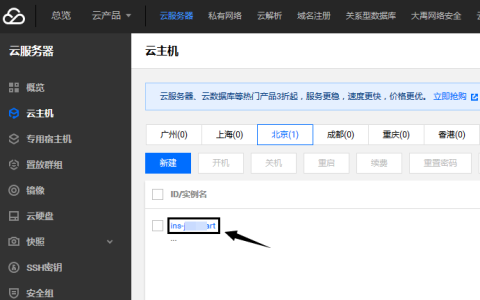


今天给腾讯云配置弹性IP。并使用多IP。配置好以后。重启网卡失败。。查了很多资料。终于解决。现在给整理出来。
[root@mina0 hadoop]# systemctl restart network
Job for network.service failed because the control process exited with error code. See "systemctl status network.service" and "journalctl -xe" for details.
[root@mina0 hadoop]# journalctl -xe
10月 26 17:15:57 mina0 network[3308]: 正在打开环回接口: [  确定  ]
10月 26 17:15:57 mina0 NetworkManager[679]:   [1509009357.3386] audit: op="connec
10月 26 17:15:57 mina0 network[3308]: 正在打开接口 ens33: 错误:激活连接失败:No suita
10月 26 17:15:57 mina0 network[3308]: [失败]
10月 26 17:15:57 mina0 network[3308]: RTNETLINK answers: File exists
10月 26 17:15:57 mina0 network[3308]: RTNETLINK answers: File exists
10月 26 17:15:57 mina0 network[3308]: RTNETLINK answers: File exists
10月 26 17:15:57 mina0 network[3308]: RTNETLINK answers: File exists
10月 26 17:15:57 mina0 network[3308]: RTNETLINK answers: File exists
10月 26 17:15:57 mina0 network[3308]: RTNETLINK answers: File exists
10月 26 17:15:57 mina0 network[3308]: RTNETLINK answers: File exists
10月 26 17:15:57 mina0 network[3308]: RTNETLINK answers: File exists
10月 26 17:15:57 mina0 network[3308]: RTNETLINK answers: File exists
10月 26 17:15:57 mina0 polkitd[680]: Unregistered Authentication Agent for unix-process
10月 26 17:15:57 mina0 systemd[1]: network.service: control process exited, code=exited
10月 26 17:15:57 mina0 systemd[1]: Failed to start LSB: Bring up/down networking.
-- Subject: Unit network.service has failed
-- Defined-By: systemd
-- Support: http://lists.freedesktop.org/mailman/listinfo/systemd-devel
--
-- Unit network.service has failed.
--
-- The result is failed.
10月 26 17:15:57 mina0 systemd[1]: Unit network.service entered failed state.

10月 26 17:15:57 mina0 systemd[1]: network.service failed.
解决:
[root@mina0 hadoop]# systemctl stop NetworkManager
[root@mina0 hadoop]# systemctl disable NetworkManager
然后:重启网卡:
[root@mina0 hadoop]# systemctl restart network
[root@mina0 hadoop]# ifconfig
ens33: flags=4163<UP,BROADCAST,RUNNING,MULTICAST>  mtu 1500
        inet 192.168.36.193  netmask 255.255.255.0  broadcast 192.168.36.255
        inet6 fe80::250:56ff:fe3c:7ac8  prefixlen 64  scopeid 0x20
        ether 00:50:56:3c:7a:c8  txqueuelen 1000  (Ethernet)
        RX packets 28  bytes 8099 (7.9 KiB)
        RX errors 0  dropped 0  overruns 0  frame 0
        TX packets 25  bytes 3749 (3.6 KiB)
        TX errors 0  dropped 0 overruns 0  carrier 0  collisions 0


lo: flags=73<UP,LOOPBACK,RUNNING>  mtu 65536
        inet 127.0.0.1  netmask 255.0.0.0
        inet6 ::1  prefixlen 128  scopeid 0x10
        loop  txqueuelen 1  (Local Loopback)
        RX packets 0  bytes 0 (0.0 B)
        RX errors 0  dropped 0  overruns 0  frame 0
        TX packets 0  bytes 0 (0.0 B)
        TX errors 0  dropped 0 overruns 0  carrier 0  collisions 0


virbr0: flags=4099<UP,BROADCAST,MULTICAST>  mtu 1500
        inet 192.168.122.1  netmask 255.255.255.0  broadcast 192.168.122.255
        ether 52:54:00:a3:37:cb  txqueuelen 1000  (Ethernet)
        RX packets 0  bytes 0 (0.0 B)
        RX errors 0  dropped 0  overruns 0  frame 0
        TX packets 0  bytes 0 (0.0 B)
        TX errors 0  dropped 0 overruns 0  carrier 0  collisions 0
以上就是我们的操作流程。欢迎大家把遇到的问题分享给我们
腾讯云-阿里云 2折起优惠中 QQ 690624
主题测试文章,只做测试使用。发布者:云大使,转转请注明出处:https://www.xp8.net/server/3756.html
 微信扫一扫
微信扫一扫